
Category: The Tech Center
Find CPU, Memory and Volume Info
Introduction: As a Wintel admin you might come across a situation where you want specific information about CPU, Memory and Volume information for multiple servers. The script below…
Mass lunreset
Introduction: The organization’s data center suffered a power loss impacting multiple components and systems. Post the power restoration you are observing issues with in your SDDC platform like…
Find VMs with unwanted devices
Introduction: As an administrator for a vSphere environment you may come across situation where you have a lot of VMs configured with unnecessary hardware like USB device, Floppy…
Provision a limited access Domain user on an ESXi
Introduction: While working with ESXi 6.5 & 6.7 I noticed that there is no UI option available to provision a domain user. The PowerCLI cmdlet New-VIPermission also fails…

vSphere HA Slots Policy Demystified
Introduction: When you choose Slot policy, the failover capacity is ensured using a Slot based approach. In vSphere release 6.5 and above you may choose a fixed slot…
Impact of Traffic Shaping
A traffic shaping policy is defined by average bandwidth, peak bandwidth, and burst size. You can establish a traffic shaping policy for each port group and each distributed…
PowerCLI to Clone a DVS
Scripted Operations: DVS Creation with the user provided name PortGroup Creation on the new DVS by reading the settings from the user provided existing DVS Host additions to…
How to mitigate L1TF vulnerability warning for a stateless auto-deploy host
Problem definition: For stateless auto-deploy host the setting VMkernel.Boot.hyperthreadingMitigation rolls back to default on every reboot. Thus, causes a warning to appear in vCenter server for the host.…
Setup VMware PowerCLI environment using offline modules
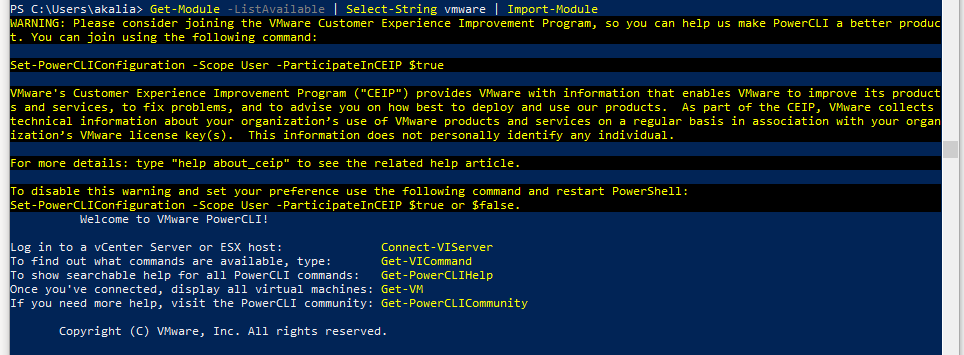
From a past few version VMware has stopped shipping an installer for PowerCLI. The latest builds of PowerCLI run as modules within PowerShell environment. Download Location: Download the…
Using python to review esxtop -b output
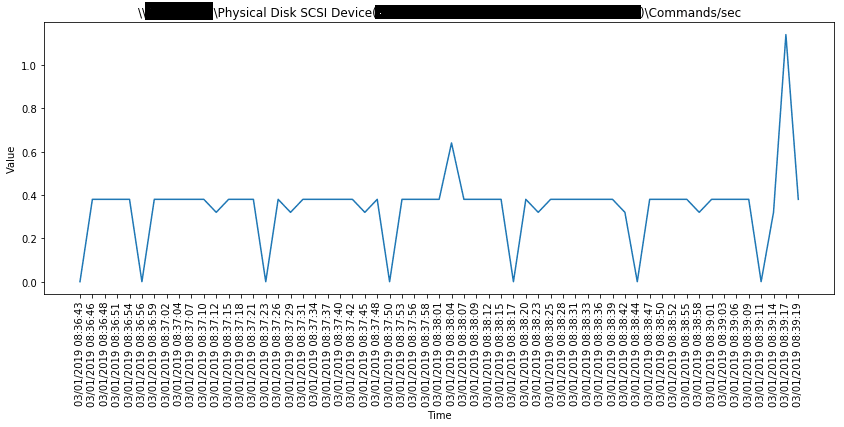
Step 1: Prepare python environment: Download Python 3 available at https://www.python.org/downloads/ Run the installer and make sure to install pip Using CLI with Root/Administrative privileges run following commands…