
Installation of python on windows has following steps involved
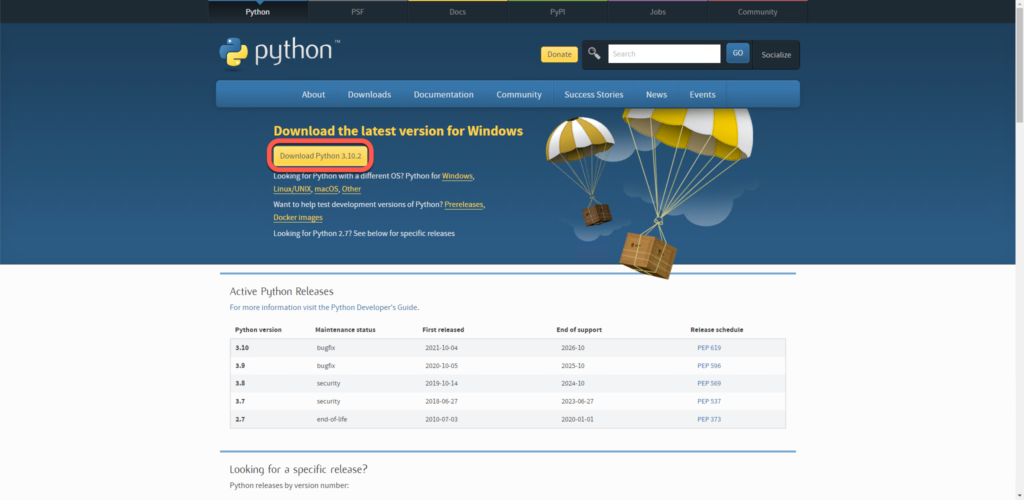
- Download the build or distribution you would like to install
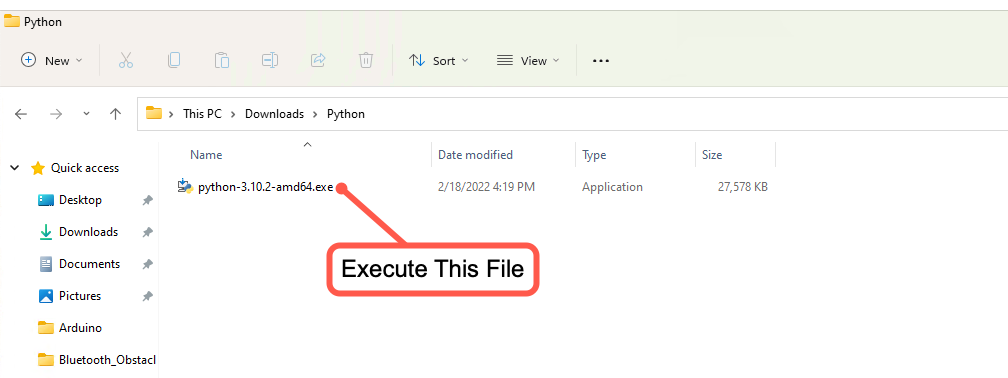
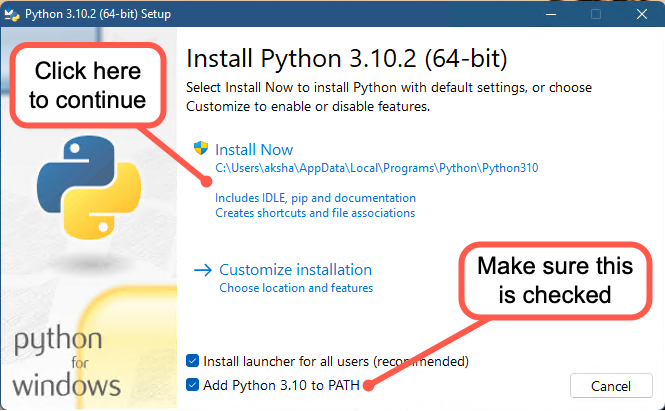
- Execute the installer and follow the instructions
Below are the screenshots of installation process for reference. Gotcha are marked in red
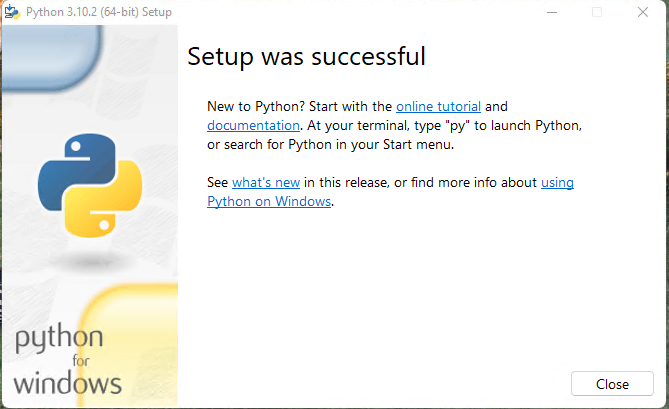
You will see a progress bar followed by following screen. That is all, you are ready to use Python
Leave a Reply