
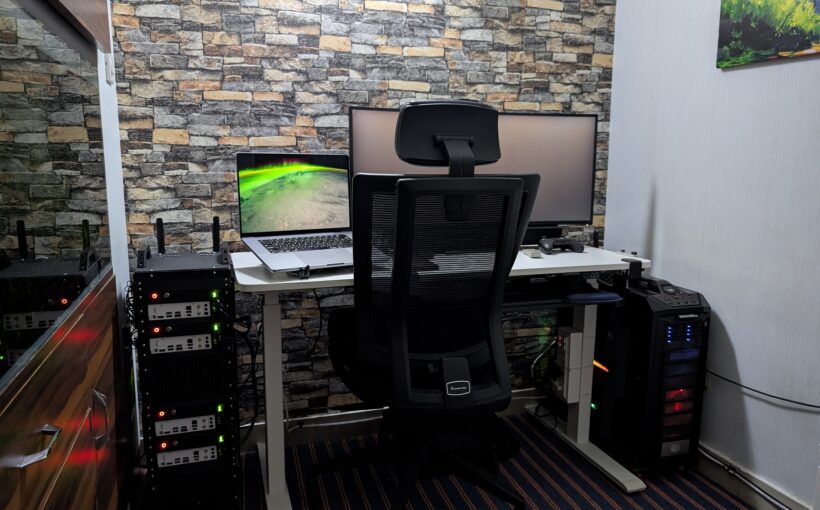
 Posted by
 About a year ago I started down a rabbit hole that most of you will probably recognize — trying to build a clean, compact, multi-node home lab without the chaos of cables everywhere and hardware stacked on a shelf. What followed was 12 months of iteration, failed 3D prints, lessons learned the hard way, and one enclosure that literally melted during use because I used the wrong filament material.
Today I’m releasing Px-Rack (iteration 4, to be specific), and I’m genuinely proud of this one.
The Problem
The hardware was never the issue. NUCs, Mini-ITX motherboards, CPUs — all readily available. What simply did not exist was a way to tie it all together. No enclosure designed for multi-node compact builds using non-enterprise hardware. No clean way to manage power across multiple units. No thought given to how cables route when you need to move the whole thing.
You either made do with a shelf and zip ties, or you spent a fortune on data center gear that was never designed for this use case.
The Solution
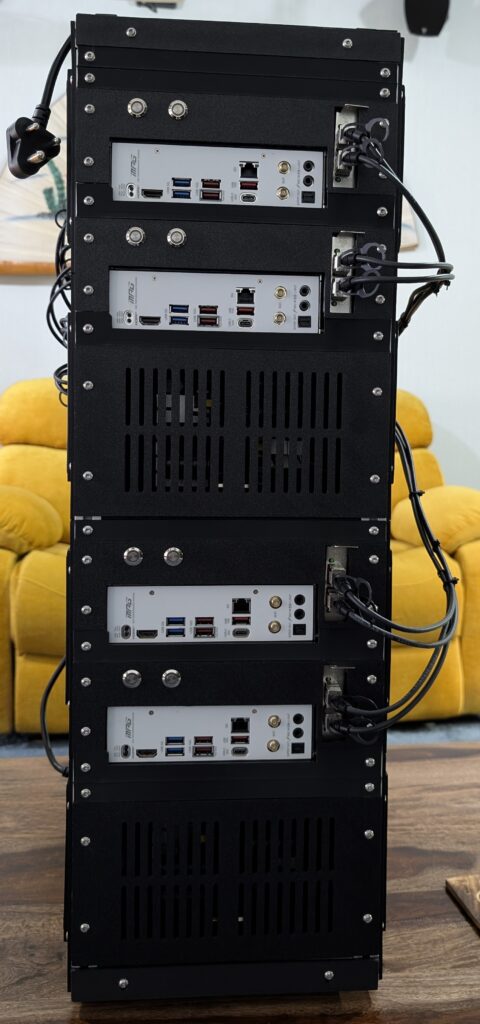
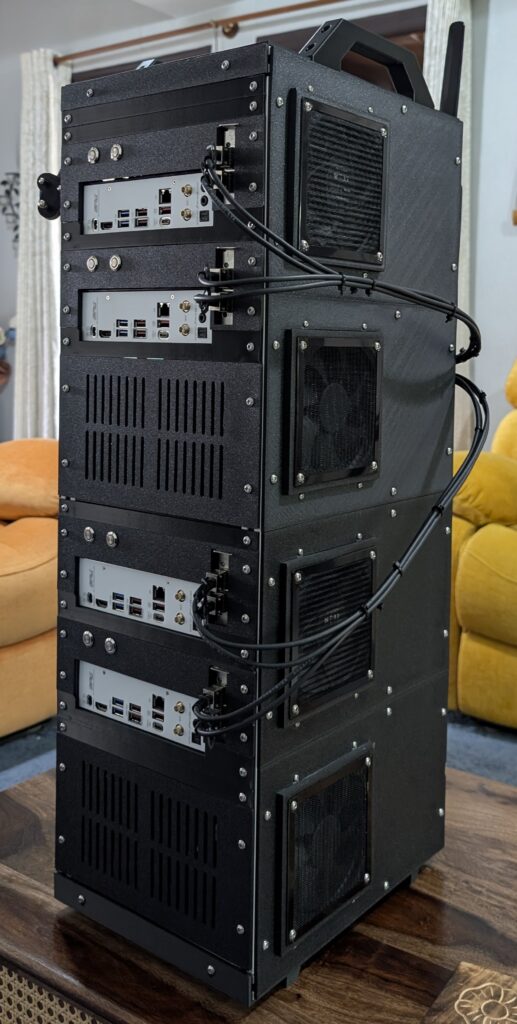
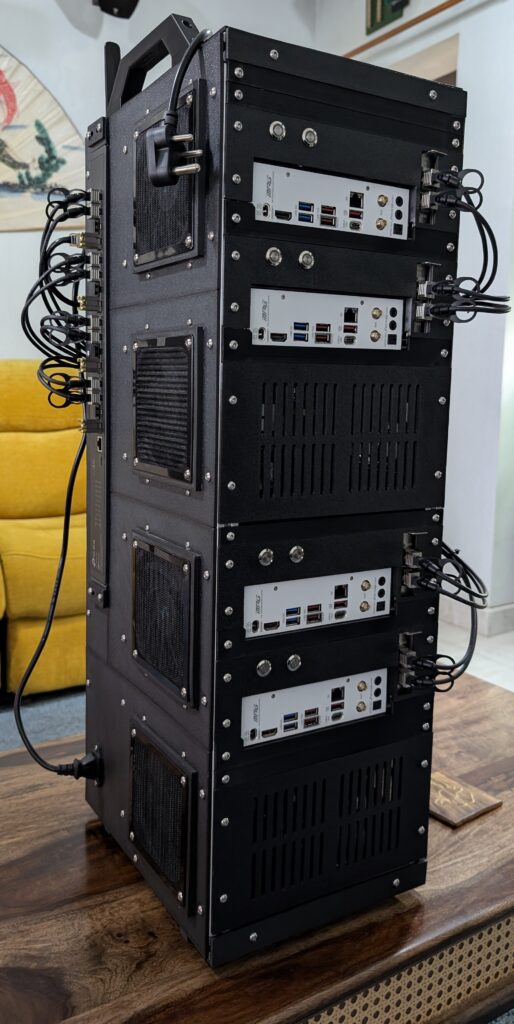
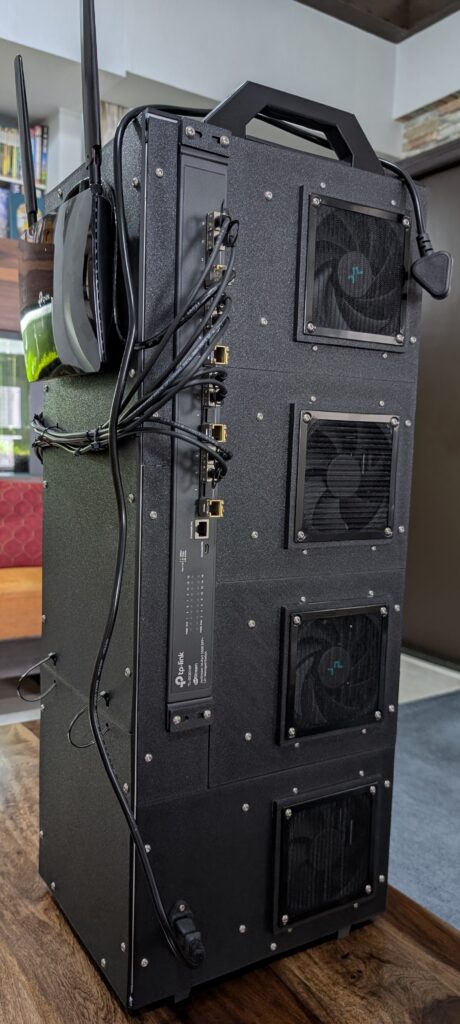
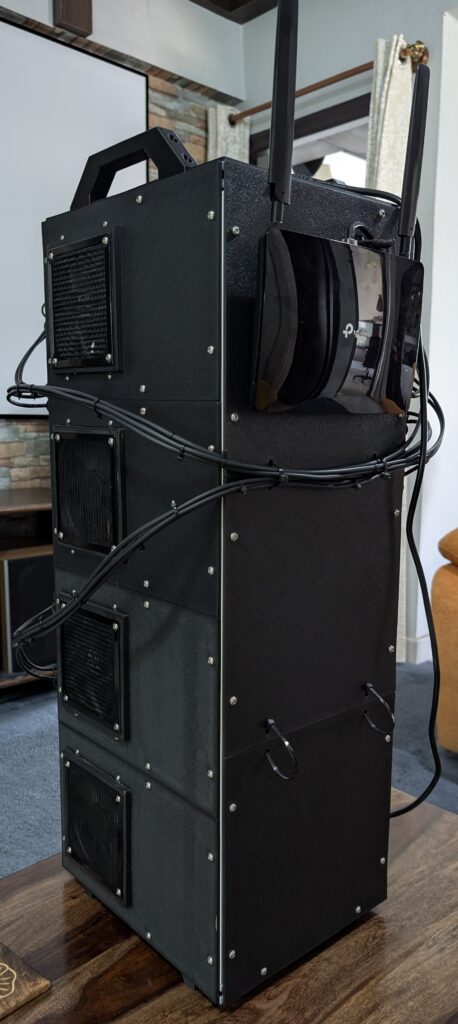
Px-Rack is a modular, open-source, 3D-printable rack-style enclosure purpose-built for standard Mini-ITX motherboards.
The choice of Mini-ITX over NUCs was deliberate. Mini-ITX boards support desktop-class CPUs and give you a significantly wider upgrade path — swap the board, the CPU, the RAM — without replacing the entire enclosure. They’re also far more accessible worldwide in terms of service and support than NUCs.
Key Features
Power consolidation without the complexity. Multiple PSUs aggregate into a single external cable using PCT wire connectors. No soldering required.
Cable management that moves with you. 10Gb fiber cables route neatly from the side and back to a switch integrated into the rack. Since the cables move with the rack, there’s no re-cabling when shifting locations.
Network flexibility built in. Switch I/O stays easily accessible, making network retopology straightforward rather than a headache.
Printable and open source. Most structural parts are 3D-printable with STL files available on GitHub. It comes in 2-node and 4-node configurations.
Where Things Stand
I currently have a 4-node build running. All four compute nodes are up with ESXi 9.1 — I’m still working through getting VCF 9.1 running across them, but the core stack is solid.
Each node is configured as follows:
- CPU: AMD Ryzen 9 9950X (16 cores)
- RAM: 96 GB physical memory, extended to 480 GB total via NVMe using ESXi’s Memory Tiering feature (96 GB RAM + 4×96 GB on NVMe)
- Storage: 2 TB NVMe dedicated to vSAN
- Networking: 2× 10 Gbps NICs (Intel X710) + 1× 5 Gbps NIC (Realtek, via fling driver)
What’s Next
The STL files and build documentation are on GitHub (akshaykalia-chd/Px-Rack). If you build one, run into issues, or have ideas for iteration 5 — I want to hear about it. Twelve months of failed prints means I’ve probably already broken it in every way you’re thinking of, but I’m sure there are a few I missed.
I’m also looking for a collaborator on the 2-node configuration. The 4-node build is my daily driver, which means the 2-node variant needs someone who’s actually running it to help shape it properly. If you’re interested in building one and want to work on it together — hardware choices, print iterations, software stack — reach out. The goal is a 2-node version that’s just as polished as what I’m releasing today.